
Skip to content

IPTV Subscription

An IPTV subscription that's clear from day one

Here's exactly how an IPTV Apollo subscription works — from choosing your access period to activation, renewal and refunds.

The subscription, start to finish

  1. 1

    Choosing a plan

    Plans differ only by access period: 1, 3, 6 or 12 months. Longer periods are paid in one go and may cost less per month. See pricing for the current plans.

  2. 2

    Ordering

    Tap Subscribe on the plan you want to message our team on WhatsApp — we confirm the plan and how to pay with you there. You can review the Terms and Refund Policy before you pay.

  3. 3

    Activation

    Activation follows confirmation of your payment. You receive the access details you enter in your player app, and our connection guide shows where they go.

  4. 4

    Watching

    Use a compatible third-party player on a supported device — a streaming stick, smart TV, phone, tablet or computer. Check your device on the compatible devices page.

  5. 5

    Renewal

    Nothing renews automatically. Your access period has a clear end date, and you can buy a new period whenever you choose. Read more about how renewal works.

  6. 6

    Cancellation & refunds

    Because there is no recurring billing, you never need to cancel to avoid future charges. Refund requests follow our Refund Policy.

Before you subscribe

What you'll need

IPTV Apollo provides the subscription. You provide the device, the player app and the internet connection.

  • A compatible device

    Fire TV, Android TV, Google TV, Samsung or LG smart TV, Apple TV, Android, iPhone/iPad, Windows or Mac. Learn more →

  • A third-party player app

    Installed from your device's official app store. We don't make or sell player apps. Learn more →

  • A stable internet connection

    Consistency matters more than peak speed. Wired connections are usually the most reliable. Learn more →

  • Supported access methods

    • • M3U playlist URL — A playlist link you paste into a compatible IPTV player.
    • • Xtream Codes API login — Server URL, username and password entered in a compatible player.

Getting started

Three steps to start watching

  1. 01

    Choose your plan

    Pick 1, 3, 6 or 12 months. Every plan shows its price, its single connection and its renewal terms up front.

    Compare plans →
  2. 02

    Contact us on WhatsApp

    Tap Subscribe on your plan to open a chat with our team. We confirm the plan and how to pay before you pay anything.

    Contact options →
  3. 03

    Activate and start watching

    Once your payment is confirmed, our team sends your activation details. Our device guides take you through setup step by step.

    Browse setup guides →

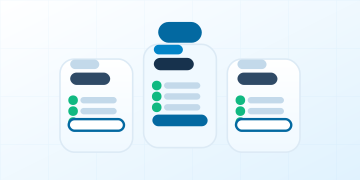
Choose your access period

1 Month

Flexible access, one month at a time.

$19

$19.00/month · one-time payment


  • 1 month of access
  • 1 connection — one device streaming at a time
  • One-time payment
  • No automatic renewal
  • Live TV streaming
  • Movies and series playback
  • EPG / TV guide support
  • M3U playlist support
  • Xtream Codes API support
Subscribe

Opens a WhatsApp chat with our team

3 Months

Save 32%

Three months, paid once.

$39

$13.00/month · one-time payment

vs. $57 buying 1 month at a time


  • 3 months of access
  • 1 connection — one device streaming at a time
  • One-time payment
  • No automatic renewal
  • Live TV streaming
  • Movies and series playback
  • EPG / TV guide support
  • M3U playlist support
  • Xtream Codes API support
Subscribe

Opens a WhatsApp chat with our team

Most Popular

12 Months

Save 70%

Best Value Per Month

$69

$5.75/month · one-time payment

vs. $228 buying 1 month at a time


  • 12 months of access
  • 1 connection — one device streaming at a time
  • One-time payment
  • No automatic renewal
  • Live TV streaming
  • Movies and series playback
  • EPG / TV guide support
  • M3U playlist support
  • Xtream Codes API support
Subscribe

Opens a WhatsApp chat with our team

6 Months

Save 57%

Six months for steady viewing.

$49

$8.17/month · one-time payment

vs. $114 buying 1 month at a time


  • 6 months of access
  • 1 connection — one device streaming at a time
  • One-time payment
  • No automatic renewal
  • Live TV streaming
  • Movies and series playback
  • EPG / TV guide support
  • M3U playlist support
  • Xtream Codes API support
Subscribe

Opens a WhatsApp chat with our team

Want to try before you buy?

Send a trial request on WhatsApp. Our team will let you know whether a trial is available and how it works.

Request a Free Trial on WhatsApp (opens in a new tab)

Using content responsibly

Your subscription is for personal, non-commercial use under our Acceptable Use Policy. Please don't share your access details or redistribute streams.

Ready to choose your plan?

Compare billing periods, read the terms, and order when you're ready. Plans never renew automatically.